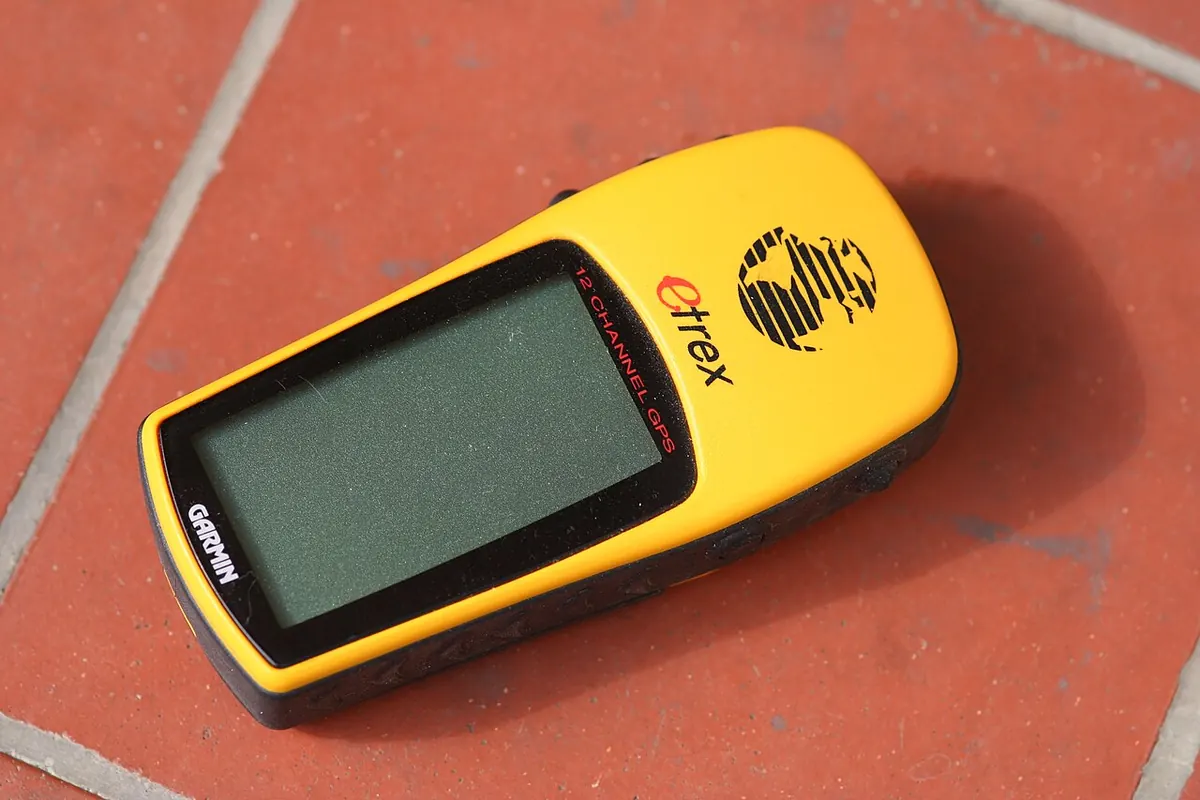
 Photo Andy / Andrew Fogg from near Cambridge, UK, CC BY 2.0
.jpg)
GPS and phone navigation
Using a phone or a GPS in the woods with no signal: maps saved before you go, battery kept alive, and the paper map still in the pack.
What you need
- A phone or handheld GPS
- A map app with the maps saved to the phone before you leave
- A battery pack and cable
- The paper map and compass as backup. See Reading a topo map.
How
- Before the trip, download the maps for the whole area, with a margin around it. With no cell signal the phone still knows where it is, but it cannot load new maps.
- Load your route or mark the places you want to reach.
- At the truck or the put in, save a waypoint. That is your way home.
- Put the phone in airplane mode. The GPS still works and the battery lasts far longer.
- Check your position at every junction, not only when you think you are lost.
- Learn to read your coordinates out loud. The Tools page shows them. Rescuers need them.
- Keep the phone warm in an inside pocket. Cold kills batteries fast.
- Keep following on the paper map as you go, so you know where you are if the phone dies.
Do and don't
Do
- Charge everything the night before and carry the battery pack.
- Turn the screen brightness down.
- Practise with the app on a short walk near home.
Don't
- Do not trust the blue dot blindly. In deep valleys and thick trees it can wander.
- Do not use the phone for music and photos until the battery is low.
- Do not leave the map and compass at home because you have the phone.
Watch for
Danger
- A dead phone is the most common way a phone navigator gets lost. Watch the battery all day.
- A wet or frozen screen stops working. Keep it in a bag.
- Map apps show trails that no longer exist. Old logging roads grow in.
Notes
A phone in airplane mode with saved maps is the best navigation tool most people have ever owned. It is also a thing with a battery.
A handheld GPS with AA batteries lasts longer in the cold, and spare batteries weigh little.
Updated 2026-09-22
Related
 Aiming off and catching features
Navigation
Missing your target on purpose so you know which way to turn, and picking a line on the map that tells you when you have gone too far.
Aiming off and catching features
Navigation
Missing your target on purpose so you know which way to turn, and picking a line on the map that tells you when you have gone too far.
 Navigating without a compass
Navigation
Holding a direction with the sun, the land and the water.
Navigating without a compass
Navigation
Holding a direction with the sun, the land and the water.
 Pacing and judging distance
Navigation
Knowing how far you have walked by counting your steps and watching the clock, so the map and the ground stay matched.
Pacing and judging distance
Navigation
Knowing how far you have walked by counting your steps and watching the clock, so the map and the ground stay matched.
 Reading a topo map
Navigation
Seeing hills, valleys and bogs in the brown lines, and knowing how far a centimetre really is.
Reading a topo map
Navigation
Seeing hills, valleys and bogs in the brown lines, and knowing how far a centimetre really is.